0.1.5
CliteParser generates CLI from classes (or objects) : each method generates a "command", each field generates an "option"
Attributes
Includes Deno configuration
Repository
Current version released
2 years ago
Dependencies
std
CLI lite parser for Deno
CliteParser generate CLI from class, each method generate a “command”, each field generate an “option” :
#!/usr/bin/env -S deno run -A
import { cliteRun } from "https://deno.land/x/clite_parser@0.1.5/clite_parser.ts";

class Tool {
  retry = 2;
  webUrl = "none"; // fields are converted to kebab case as global options
  no_color?: boolean; // → --no-color

  main() {
    console.log("main command", this);
  }

  up() {
    console.log("up command", this);
  }

  down(force: boolean, timeout: number) {
    console.log("down command", { force, timeout }, this);
  }
}

cliteRun(new Tool());
The help is generated automatically:
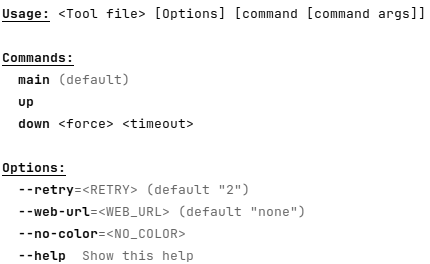
Plain text (without color and styles in markdown):
Usage: <Tool file> [Options] [command [command args]]

Commands:
  main (default)
  up
  down <force> <timeout>

Options:
  --retry=<RETRY> (default "2")
  --web-url=<WEB_URL> (default "none")
  --no-color=<NO_COLOR>
  --help  Show this help
Help description
Optional fields _<filed or method name>_desc are displayed as description in
the help :
#!/usr/bin/env -S deno run -A
import { cliteRun } from "https://deno.land/x/clite_parser@0.1.5/clite_parser.ts";

class Tool {
  _desc = "This tool is a little example of CliteParser"; // optional description
  retry = 2;
  webUrl = "none"; // fields are converted to kebab case as global options
  no_color?: boolean; // → --no-color
  _no_color_desc = "skip colorize"; // optional description for "no_color" field
  _up_desc = "create and start"; // optional description for "up" command

  main() {
    console.log("main command", this);
  }

  up() {
    console.log("up command", this);
  }

  down(force: boolean, timeout: number) {
    console.log("down command", { force, timeout }, this);
  }
}

if (import.meta.main) { // if the file is imported, do not execute this block
  cliteRun(new Tool());
}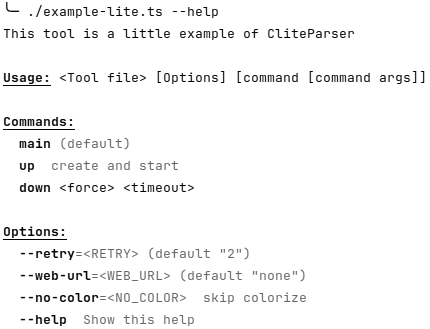
Plain text (without color and styles in markdown):
This tool is a little example of CliteParser

Usage: <Tool file> [Options] [command [command args]]

Commands:
  main (default)
  up  create and start
  down <force> <timeout>

Options:
  --retry=<RETRY> (default "2")
  --web-url=<WEB_URL> (default "none")
  --no-color=<NO_COLOR>  skip colorize
  --help  Show this help
Run example with options and command arguments
$ ./example-lite.ts --retry=4 --web-url=tttt --no-color down true 14
down command { force: "true", timeout: "14" } Tool { retry: "4", webUrl: "tttt", no_color: true }

$ ./example-lite.ts down true 14
down command { force: "true", timeout: "14" } Tool { retry: 2, webUrl: "none", no_color: undefined }

$ ./example-lite.ts  --retry=4 --web-url=tttt --no-color
main command Tool { retry: "4", webUrl: "tttt", no_color: true }
Default command
- If only one method/command => this method is the default
- If main method exist => main is the default
- else => no default method
$ ./example-lite.ts
main command Tool { retry: 2, webUrl: "none", no_color: undefined }
Ignore _* methods and fields (in help)
Fields and methods that start with “_” are ignored.
_privateData = 12;
_privmethod();
{
  console.log("this method is not visible in the help (starts with '_')");
}
Boolean options
$ ./example-lite.ts
main command Tool { retry: 2, webUrl: "none", no_color: undefined }
$ ./example-lite.ts --no-color
main command Tool { retry: 2, webUrl: "none", no_color: true }
$ ./example-lite.ts --no-color=false
main command Tool { retry: 2, webUrl: "none", no_color: "false" }
$ ./example-lite.ts --no-color=true
main command Tool { retry: 2, webUrl: "none", no_color: "true" }
Return value
If the method run by cliteRun return a value != undefined, it will be print in
stdout.
This behavior can be disabled with the env var CLITE_RUN_DONT_PRINT_RESULT:
export CLITE_RUN_DONT_PRINT_RESULT=falseTODO
- command as kebab case ?
- align default/descriptions in help
- completion