About
Sqlr is a simple CLI utility that allows you to execute simple queries against your SQL database (currently only Postgres database is supported).
- ⚡ Don’t wait for your GUI tools to load, when you need to run simple SQL query
- :lock: Connection encryption for enhanced security (recommended for remote environments)
- 📜 List your database structure to quickly identify which columns are in specific table
- 🥑 Present results in compact form, json or tables
- 📁 Use queries from
.sqlfiles and/or save results to.jsonfiles - :abacus: CI/CD friendly - commands can be executed directly, without
interactiveprompts - 🤖 AI agent friendly - agents can query databases by connection name without exposing connection strings in their context
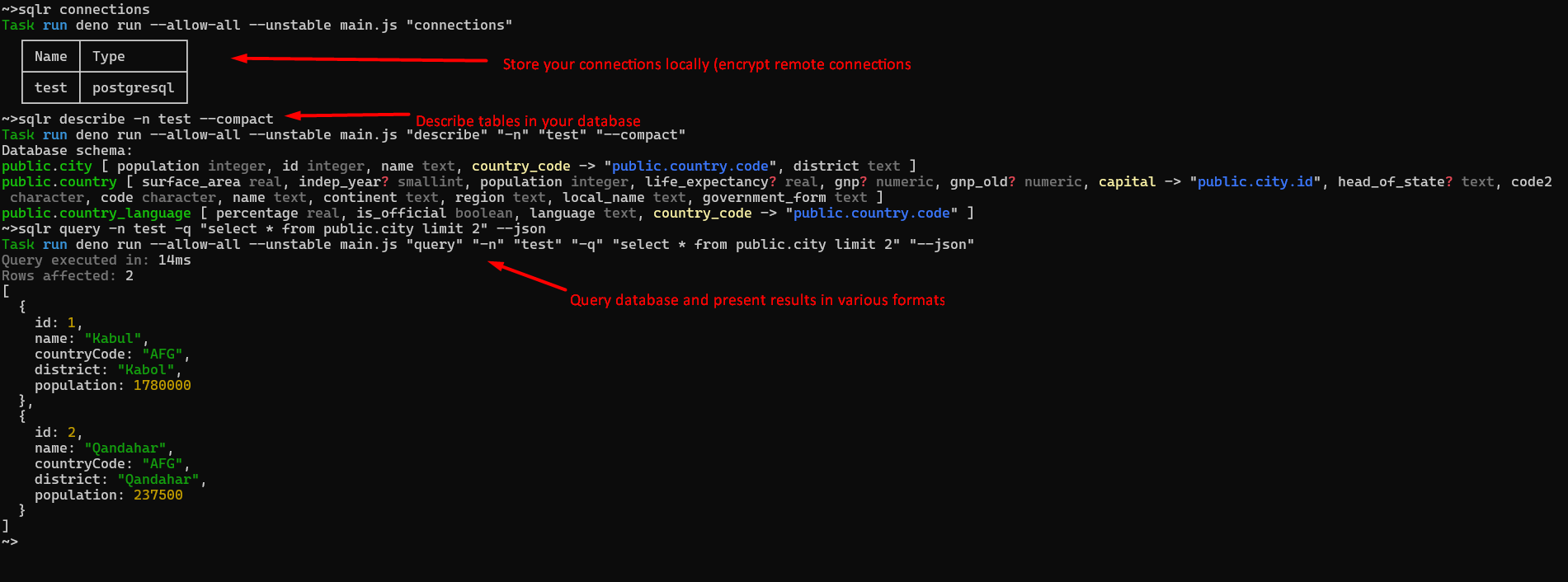
Run sqlr for details on available commands. For each command use --help flag
for details on additional options and arguments.
Prerequisites
Deno runtime environment https://deno.land
Installation
deno install -g -f -r --allow-env --allow-net --allow-read --allow-write jsr:@sobanieca/sqlr
--allow-write permission is needed only if you are planning to use -o
parameter (write results to json file, check sqlr query --help for details)
If your queries are failing due to certificate validation errors (and you trust target server) you can install using following command:
deno install -g -f -r --unsafely-ignore-certificate-errors --allow-env --allow-net --allow-read --allow-write jsr:@sobanieca/sqlr
This means however, that you are no longer protected from MITM attacks for other
servers. You can consider introducing sqlr-unsafe sitting next to your main
sqlr instance to work with trusted servers with problematic certificates:
deno install -g -f -r -n sqlr-unsafe --unsafely-ignore-certificate-errors --allow-net --allow-read --allow-write jsr:@sobanieca/sqlr
Using with AI agents
Sqlr stores database connections locally by name. This makes it a great fit for
AI agents that need to query databases — the agent only needs to know the
connection name (e.g. sqlr query -n mydb -q "SELECT ..."), and never has
access to the actual connection string. Connection strings stay on your machine
and are never exposed in the agent’s context.
SQL file collections
You can maintain a collection of .sql files and execute them with sqlr
whenever needed. This is useful for queries you run repeatedly — health checks,
reports, data fixes, etc.
queries/
  health-check.sql
  daily-report.sql
  cleanup-stale-sessions.sql
Run any file from the collection using the -i flag:
sqlr query -n mydb -i queries/health-check.sql
sqlr query -n mydb -i queries/daily-report.sql
This way your queries are version-controlled, reusable, and don’t need to be typed out or remembered each time.
Hints
If you want to disable colors (at least for main log messages), you can use:
NO_COLOR=1 sqlr ...Contribution
If you want to implement/request new features you are more than welcome to contribute.