Keep your business logic clean with Domain Functions
Domain Functions helps you decouple your business logic from your controllers. With first-class type inference from end to end.
It does this by enforcing the parameters’ types in runtime (through zod schemas) and always wrapping results (even exceptions) into a Promise<Result<Output>> type.
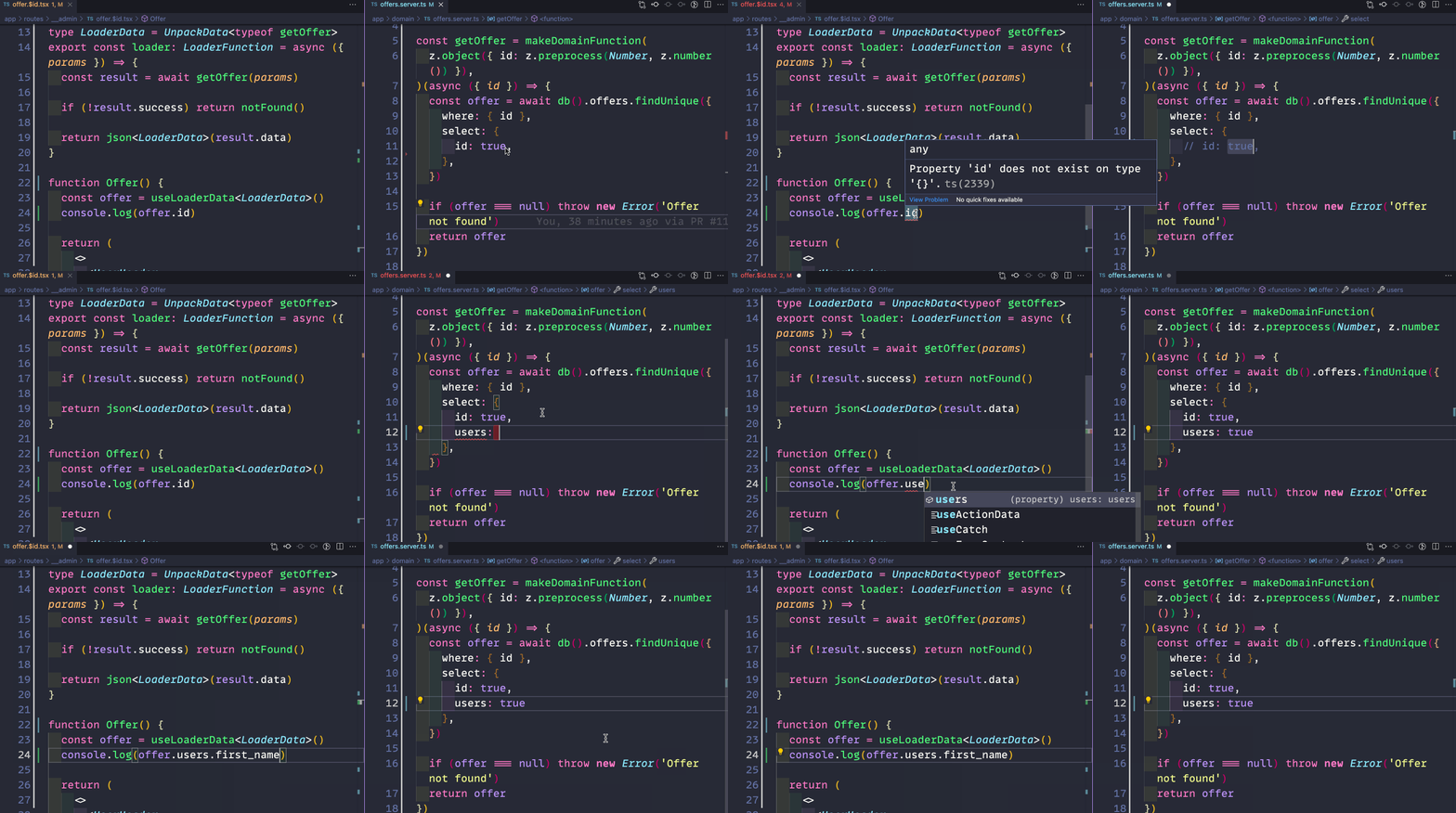
Table of contents
- Benefits
- Quickstart
- Using Deno
- Create your first action with Remix
- Taking parameters that are not user input
- Dealing with errors
- Combining domain functions
- Runtime utilities
- Improve type inference with Utility Types
- Extracting input values for domain functions
- Resources
- Acknowlegements
Benefits
- End-to-End typesafety all the way from the Backend to the UI
- Removes the plumbing of extracting and parsing structured data from your Requests
- Keep your domain functions decoupled from the framework, with the assurance that your values conform to your types
- Easier to test and maintain business logic
- Business Logic can be expressed in the type system
Quickstart
npm i domain-functions zodimport { makeDomainFunction, inputFromForm } from 'domain-functions'
import * as z from 'zod'
const schema = z.object({ number: z.preprocess(Number, z.number()) })
const increment = makeDomainFunction(schema)(async ({ number }) => number + 1)
const result = await increment({ number: 1 })
/*
result = {
success: true,
data: 2,
errors: []
inputErrors: []
environmentErrors: []
}
*/
const failedResult = await increment({ number: 'foo' })
/*
failedResult = {
success: false,
inputErrors: [{ path: ['number'], message: 'Expected number, received nan' }],
environmentErrors: []
errors: [],
}
*/To understand how to build the schemas, refer to Zod documentation.
Using Deno
If you are using Deno just import directly the functions you need from deno.land/x as in
import { makeDomainFunction } from "https://deno.land/x/domain_functions/mod.ts";This documentation will use Node.JS imports by convention, just replace domain-functions with https://deno.land/x/domain_functions/mod.ts when using Deno.
Create your first action with Remix
import type { ActionFunction } from 'remix'
import { useActionData, redirect } from 'remix'
import { makeDomainFunction, inputFromForm } from 'domain-functions'
import * as z from 'zod'

const schema = z.object({ number: z.preprocess(Number, z.number()) })

export const action: ActionFunction = async ({ request }) => {
  const increment = makeDomainFunction(schema)(async ({ number }) => number + 1)
  const result = await increment(await inputFromForm(request))

  if (!result.success) return result

  return redirect('/')
}

export default function Index() {
  const actionData = useActionData()

  return (
    <Form method="post">
      <input name="number" type="number" />
      {actionData.inputErrors && (
        <span role="alert">{actionData.inputErrors[0].message}</span>
      )}
      <button type="submit">
        Submit
      </button>
    </Form>
  )
}
Taking parameters that are not user input
Sometimes you want to ensure the safety of certain values that weren’t explicitly sent by the user. We call them environment:
// In some app/domain/*.server.ts file
const sendEmail = makeDomainFunction(
  z.object({ email: z.string().email() }), // user input schema
  z.object({ origin: z.string() }) // environment schema
)(
  async ({ email }, { origin }) => {
    mailer.send({
      email,
      message: `Link to reset password: ${origin}/reset-password`
    })
  }
)

// In your controller:
async ({ request }) => {
  const environment = (request: Request) => ({
    origin: new URL(request.url).origin,
  })

  await sendEmail(
    await inputFromForm(request),
    environment(request),
  )
}
We usually use the environment for ensuring authenticated requests.
In this case, assume you have a currentUser function that returns the authenticated user:
const dangerousFunction = makeDomainFunction(
  someInputSchema,
  z.object({ user: z.object({ id: z.string(), admin: z.literal(true) }) })
)(async (input, { user }) => {
  // do something that only the admin can do
})
Dealing with errors
The error result has the following structure:
type ErrorResult = {
  success: false
  errors: ErrorWithMessage[]
  inputErrors: SchemaError[]
  environmentErrors: SchemaError[]
}
Where inputErrors and environmentErrors will be the errors from parsing the corresponding Zod schemas and errors will be for any exceptions thrown inside the domain function (in which case we keep a reference to the original exception):
const alwaysFails = makeDomainFunction(input, environment)(async () => {
  throw new Error('Some error')
})

const failedResult = await alwaysFails(someInput)
/*
failedResult = {
  success: false,
  errors: [{ message: 'Some error', exception: instanceOfError }],
  inputErrors: [],
  environmentErrors: [],
}
*/
Changing the ErrorResult with Custom Errors
ResultError constructor
Whenever you want more controll of the ErrorResult of a domain function you can throw a ResultError from it. Therefore you’ll be able to add multiple error messages to the structure:
const alwaysFails = makeDomainFunction(inputSchema)(async () => {
  throw new ResultError({
    errors: [{ message: 'Some error' }],
    inputErrors: [{ path: ['number'], message: 'Expected number, received nan' }],
    environmentErrors: [], // you can optionally omit this as it is empty.
  })
})
Other error constructors
Or you can throw an InputError whenever you want a custom input error that cannot be generated by your schema.
const alwaysFails = makeDomainFunction(input, environment)(async () => {
  throw new InputError('Email already taken', 'email')
})

const failedResult = await alwaysFails(someInput)
/*
failedResult = {
  success: false,
  errors: [],
  inputErrors: [{ message: 'Email already taken', path: ['email'] }],
  environmentErrors: [],
}
*/
To throw several input errors in one shot you can use the pluralized version InputErrors as in:
const alwaysFails = makeDomainFunction(input, environment)(async () => {
  throw new InputErrors([{message: 'Email already taken', path: 'email'}, {message: 'Password too short', path: 'password'}])
})

const failedResult = await alwaysFails(someInput)
/*
failedResult = {
  success: false,
  errors: [],
  inputErrors: [{ message: 'Email already taken', path: ['email'] }, { message: 'Password too short', path: ['password'] }],
  environmentErrors: [],
}
*/
You can also return a custom environment error by throwing an EnvironmentError.
Using error messages in the UI
To improve DX when dealing with errors we do export a couple of utilities.
errorMessagesFor
Given a array of SchemaError be it from inputErrors or environmentErrors and a name, it returns a list of error messages with that name in their path.
const result = {
  success: false,
  errors: [],
  inputErrors: [],
  environmentErrors: [{ message: 'Must not be empty', path: ['host'] }, { message: 'Must be a fully qualified domain', path: ['host'] }]
}

errorMessagesFor(result.inputErrors, 'email') // will be an empty array: []
errorMessagesFor(result.environmentErrors, 'host')[0] === 'Must not be empty'
errorMessagesForSchema
Given a array of SchemaError be it from inputErrors or environmentErrors and a Zod Schema, it returns an object with a list of error messages for each key in the schema shape.
const schema = z.object({ email: z.string().nonEmpty(), password: z.string().nonEmpty() })
const result = {
  success: false,
  errors: [],
  inputErrors: [{ message: 'Must not be empty', path: ['email'] }, { message: 'Must be a string', path: ['email'] }, { message: 'Must not be empty', path: ['password'] }],
  environmentErrors: []
}

errorMessagesForSchema(result.inputErrors, schema)
/*
{
  email: ['Must not be empty', 'Must be a string'],
  password: ['Must not be empty']
}
*/
Tracing
Whenever you need to intercept inputs and the result of a domain function without changing them, there is a function called trace that can help you..
The most common use case is to log failures to the console or to an external service. Let’s say you want to log failed domain functions, you could create a function such as:
const traceToConsole = trace((context) => {
  if(!context.result.success) {
    console.trace("Domain Function Failure ", context)
  }
})
Then, assuming you want to trace all failures in a someOtherDomainFunction, you just need to pass that domain function to our tracetoConsole:
traceToConsole(someOtherDomainFunction)()It would be also simple to create a function that will send the errors to some error tracking service upon certain conditions:
const trackErrors = trace(({ input, output, result }) => {
  if(!result.success && someOtherConditions(result)) {
    sendToExternalService({ input, output, result })
  }
})
Combining domain functions
These combinators are useful for composing domain functions. The returning type of all of them is another DomainFunction thus allowing further application in more compositions.
all
It creates a single domain function out of multiple domain functions. It will pass the same input and environment to all given functions. The resulting data is going to be a tuple of the results of each function only when all functions are successful.
const a = makeDomainFunction(z.object({ id: z.number() }))(async ({ id }) => String(id))
const b = makeDomainFunction(z.object({ id: z.number() }))(async ({ id }) => id + 1)
const c = makeDomainFunction(z.object({ id: z.number() }))(async ({ id }) => Boolean(id))

const results = await all(a, b, c)({ id: 1 })
On the exemple above, the result will be of type Result<[string, number, boolean]>:
{
  success: true,
  data: ['1', 2, true],
  errors: [],
  inputErrors: [],
  environmentErrors: [],
}
If one or more of the functions fails, the errors will be concatenated:
const a = makeDomainFunction(z.object({ id: z.number() }))(async () => {
  throw new Error('Error A')
})
const b = makeDomainFunction(z.object({ id: z.number() }))(async () => {
  throw new Error('Error B')
})

const results = await all(a, b)({ id: 1 })

/*{
  success: false,
  errors: [
    { message: 'Error A', exception: instanceOfErrorA },
    { message: 'Error B', exception: instanceOfErrorB }
  ],
  inputErrors: [],
  environmentErrors: [],
}*/
first
It will return the result of the first successful domain function. It handles inputs and environments like the all function.
It is important to notice that all domain functions will be executed in parallel so keep an eye on the side effects.
const a = makeDomainFunction(
  z.object({ n: z.number(), operation: z.literal('increment') }),
)(async ({ n }) => n + 1)
const b = makeDomainFunction(
  z.object({ n: z.number(), operation: z.literal('decrement') }),
)(async ({ n }) => n - 1)

const result = await first(a, b)({ n: 1, operation: 'increment' })
On the exemple above, the result will be of type Result<number>:
{
  success: true,
  data: 2,
  errors: [],
  inputErrors: [],
  environmentErrors: [],
}
The resulting type is going to be a union of the results of each domain function.
const a = makeDomainFunction(z.object({ operation: z.literal('A') }))(async () => ({
  resultA: 'A',
}))
const b = makeDomainFunction(z.object({ operation: z.literal('B') }))(async () => ({
  resultB: 'B',
}))

const result = await first(a, b)({ operation: 'A' })
//       ^-- Result<{ resultA: string } | { resultB: string }>
if (!result.success) return console.log('No function was successful')
if ('resultA' in result.data) return console.log('function A succeeded')
return console.log('function B succeeded')
If every domain function fails, the errors will be concatenated:
const a = makeDomainFunction(z.object({ id: z.number() }))(async () => {
  throw new Error('Error A')
})
const b = makeDomainFunction(z.object({ id: z.number() }))(async () => {
  throw new Error('Error B')
})

const result = await first(a, b)({ id: 1 })

/*{
  success: false,
  errors: [
    { message: 'Error A', exception: instanceOfErrorA },
    { message: 'Error B', exception: instanceOfErrorB }
  ],
  inputErrors: [],
  environmentErrors: [],
}*/
merge
It works exactly like the all function but the shape of the result is different.
Instead of a tuple, it will merge every result into an object.
The reasoning behind this is that it’s easier to work with objects with named variables than long tuples when composing many domain functions.
const a = makeDomainFunction(z.object({}))(async () => ({ resultA: '1' }))
const b = makeDomainFunction(z.object({}))(async () => ({ resultB: 2 }))
const c = makeDomainFunction(z.object({}))(async () => ({ resultC: true }))

const results = await merge(a, b, c)({})
On the exemple above, the result will be of type Result<{ resultA: string, resultB: number, resultC: boolean }>:
{
  success: true,
  data: { resultA: '1', resultB: 2, resultC: true },
  errors: [],
  inputErrors: [],
  environmentErrors: [],
}
Make sure you respect the shape of every domain function’s return. If any domain function return is not an object, the resulting domain function will return an ErrorResult like so:
{
  success: false,
  errors: [{ message: 'Invalid data format returned from some domain functions' }],
  inputErrors: [],
  environmentErrors: [],
}
pipe
It creates a single domain function out of a composition of multiple domain functions. It will pass the same environment to all given functions and pass the output of one to the next’s input in left-to-right order. The resulting data is going to be the output of the rightmost function.
Note that there is no type-level assurance that one function output will be succesfully parsed by the next function in the pipeline.
const a = makeDomainFunction(z.object({ aNumber: z.number() }))(
  async ({ aNumber }) => ({
    aString: String(aNumber),
  }),
)
const b = makeDomainFunction(z.object({ aString: z.string() }))(
  async ({ aString }) => ({
    aBoolean: aString == '1',
  }),
)
const c = makeDomainFunction(z.object({ aBoolean: z.boolean() }))(
  async ({ aBoolean }) => !aBoolean,
)

const d = pipe(a, b, c)

const result = await d({ aNumber: 1 })
On the exemple above, the result will be of type Result<boolean>:
{
  success: true,
  data: false,
  errors: [],
  inputErrors: [],
  environmentErrors: [],
}
If one functions fails, the execution will halt and the error returned.
sequence
It works exactly like the pipe function but the shape of the result is different.
Instead of returning only the result of the last domain function, it will save every result along the way, returning them all in a tuple similar to the all function.
const a = makeDomainFunction(z.number())(async (aNumber) => String(aNumber))
const b = makeDomainFunction(z.string())(async (aString) => aString === '1')

const c = sequence(a, b)

const result = await c(1)
On the exemple above, the result will be of type Result<[string, boolean]>:
{
  success: true,
  data: ['1', true],
  errors: [],
  inputErrors: [],
  environmentErrors: [],
}
If you’d rather have an object instead of a tuple (in the same fashion as the merge function), you can use the map along with the mergeObjects method like so:
import { mergeObjects } from 'domain-functions'

const a = makeDomainFunction(z.number())(async (aNumber) => ({
  aString: String(aNumber)
}))
const b = makeDomainFunction(z.object({ aString: z.string() }))(
  async ({ aString }) => ({ aBoolean: aString === '1' })
)

const c = map(sequence(a, b), mergeObjects)

const result = await c(1)
On the exemple above, the result will be of type Result<{ aString: string, aBoolean: boolean }>.
map
It creates a single domain function that will apply a transformation over the result.data of a successful DomainFunction.
When the given domain function fails, its error is returned wihout changes.
The resulting data is going to be the output of the second argument.
This could be useful when composing domain functions to align their types:
const fetchAsText = makeDomainFunction(z.object({ userId: z.number() }))(
  ({ userId }) =>
    fetch(`https://reqres.in/api/users/${String(userId)}`).then((r) =>
      r.json(),
    ),
)

const fullName = makeDomainFunction(
  z.object({ first_name: z.string(), last_name: z.string() }),
)(async ({ first_name, last_name }) => `${first_name} ${last_name}`)

const fetchFullName = pipe(
  map(fetchAsText, ({ data }) => data),
  fullName,
)

const result = fetchFullName({ userId: 2 })
On the exemple above, the result will be of type Result<string> and tis value something like:
{
  success: true,
  data: 'Janet Weaver',
  errors: [],
  inputErrors: [],
  environmentErrors: [],
}
mapError
It creates a single domain function that will apply a transformation over the ErrorResult of a failed DomainFunction.
When the given domain function suceeds, its result is returned wihout changes.
This could be useful when adding any layer of error handling. In the example bellow we are discarding the contents of the errors but keeping a tally of how many there were:
const increment = makeDomainFunction(z.object({ id: z.number() }))(
  async ({ id }) => id + 1,
)

const summarizeErrors = (result: ErrorData) =>
  ({
    errors: [{ message: 'Number of errors: ' + result.errors.length }],
    inputErrors: [
      { message: 'Number of input errors: ' + result.inputErrors.length },
    ],
    environmentErrors: [
      { message: 'Number of environment errors: ' + result.environmentErrors.length },
    ],
  } as ErrorData)

const incrementWithErrorSummary = mapError(increment, summarizeErrors)

const result = await incrementWithErrorSummary({ invalidInput: '1' })
On the exemple above, the result will be:
{
  success: false,
  errors: [{ message: 'Number of errors: 0' }],
  inputErrors: [{ message: 'Number of input errors: 1' }],
  environmentErrors: [{ message: 'Number of environment errors: 0' }],
}
Runtime utilities
fromSuccess
Whenever the composition utilities fall short and you want to call other domain functions inside your current one, you can use the fromSuccess function to create a domain function that is expected to always succeed.
const domainFunctionA = makeDomainFunction(
  z.object({ id: z.string() }),
)(async ({ id }) => {
  const valueB = await fromSuccess(domainFunctionB)({ userId: id })
  // do something else
  return {
    valueA,
    valueB,
  }
})
Otherwise, if the domain function applied to fromSuccess happens to fail, the error will be bubbled up exactly as it was thrown.
mergeObjects
It merges an array of objects into one object keeping the type inference all the way. Object properties from the rightmost object will take precedence over the leftmost ones.
const a = { a: 1, b: 2 }
const b = { b: '3', c: '4' }
const result = mergeObjects([a, b])
The resulting object will be:
{ a: 1, b: '3', c: '4' }
// inferred as { a: number, b: string, c: string }
Improve type inference with Utility Types
UnpackData
It infers the returned data of a successful domain function:
const fn = makeDomainFunction()(async () => '')

type Data = UnpackData<typeof fn>
// Data = string
UnpackSuccess
It infers the success result of a domain function:
const fn = makeDomainFunction()(async () => '')

type Success = UnpackSuccess<typeof fn>
// Success = { success: true, data: string, errors: [], inputErrors: [], environmentErrors: [] }
// Which is the same as: SuccessResult<string>
UnpackResult
It infers the result of a domain function:
const fn = makeDomainFunction()(async () => '')

type Result = UnpackResult<typeof fn>
/*
Result =
  | { success: true, data: string, errors: [], inputErrors: [], environmentErrors: [], }
  | { success: false, errors: { message: string }[], inputErrors: SchemaError[], environmentErrors: SchemaError[] }

* Which is the same as:
Result<string>
* Which is the same as:
SuccessResult<string> | ErrorResult
*/
Extracting input values for domain functions
We export some functions to help you extract values out of your requests before sending them as user input.
inputFromForm
Extracts values sent in a request through the FormData as an object of values:
// Given the following form:
function Form() {
  return (
    <form method="post">
      <input name="email" value="john@doe.com" />
      <input name="password" value="1234" />
      <button type="submit">
        Submit
      </button>
    </form>
  )
}

async (request: Request) => {
  const values = await inputFromForm(request)
  // values = { email: 'john@doe.com', password: '1234' }
}
inputFromFormData
Extracts a structured object from a FormData:
const formData = new FormData()
formData.append('email', 'john@doe.com')
formData.append('tasks[]', 'one')
formData.append('tasks[]', 'two')
const values = inputFromFormData(formData)
// values = { email: 'john@doe.com', tasks: ['one', 'two'] }
inputFromUrl
Extracts values sent in a request through the URL as an object of values:
// Given the following form:
function Form() {
  return (
    <form method="get">
      <button name="page" value="2">
        Change URL
      </button>
    </form>
  )
}

async (request: Request) => {
  const values = inputFromUrl(request)
  // values = { page: '2' }
}
inputFromSearch
Extracts a structured object from a URLSearchParams object:
const qs = new URLSearchParams()
qs.append('colors[]', 'red')
qs.append('colors[]', 'green')
qs.append('colors[]', 'blue')
const values = inputFromSearch(qs)
// values = { colors: ['red', 'green', 'blue'] }
All of the functions above will parse the input using qs, thus allowing structured data as follows:
// Given the following form:
function Form() {
  return (
    <form method="post">
      <input name="numbers[]" value="1" />
      <input name="numbers[]" value="2" />
      <input name="person[0][email]" value="john@doe.com" />
      <input name="person[0][password]" value="1234" />
      <button type="submit">
        Submit
      </button>
    </form>
  )
}

async (request: Request) => {
  const values = await inputFromForm(request)
  /*
  values = {
    numbers: ['1', '2'],
    person: [{ email: 'john@doe.com', password: '1234' }]
  }
  */
}
To better understand how to structure your data, refer to qs documentation
Resources
- Join our Discord community!
- Blog post: How domain-functions improves the already awesome DX of Remix projects
Acknowlegements
We are grateful for Zod as it is a great library and informed our design. It’s worth mentioning two other projects that inspired domain-functions: