v0.8.2
A ready-to-use CI/CD Pipeline and jobs for Deno projects.
Attributes
Includes Deno configuration
Repository
Current version released
2 years ago
Dependencies
deno.land/x
other
skypack.dev
lodash
Versions
- v0.11.4Latest
- v0.11.3
- v0.11.3
- v0.11.2
- v0.11.1
- v0.11.0
- v0.10.3
- v0.10.2
- v0.10.1
- v0.10.0
- v0.9.2
- v0.9.1
- v0.9.0
- v0.9.0
- v0.8.6
- v0.8.5
- v0.8.5
- v0.8.4
- v0.8.3
- v0.8.2
- v0.8.1
- v0.8.0
- 0.7.2
- v0.7.1
- v0.7.0
- v0.6.1
- v0.6.0
- v0.6.0
- v0.5.5
- v0.5.5
- v0.5.4
- v0.5.3
- v0.5.3
- v0.5.2
- v0.5.2
- v0.5.1
- v0.5.0
- v0.4.3
- v0.4.2
- v0.4.2
- v0.4.1
- v0.4.0
- v0.3.1
- v0.3.0
- v0.2.2
- v0.2.0
- v0.1.12
- v0.1.12
- v0.1.11
- v0.1.10
- v0.1.9
- v0.1.8
- v0.1.7
- v0.1.7
- v0.1.6
- v0.1.5
- v0.1.4
- v0.1.3
- v0.1.2
- v0.1.1
- v0.1.1
- v0.1.0
Deno Pipeline


A ready-to-use CI/CD Pipeline for your Deno projects.
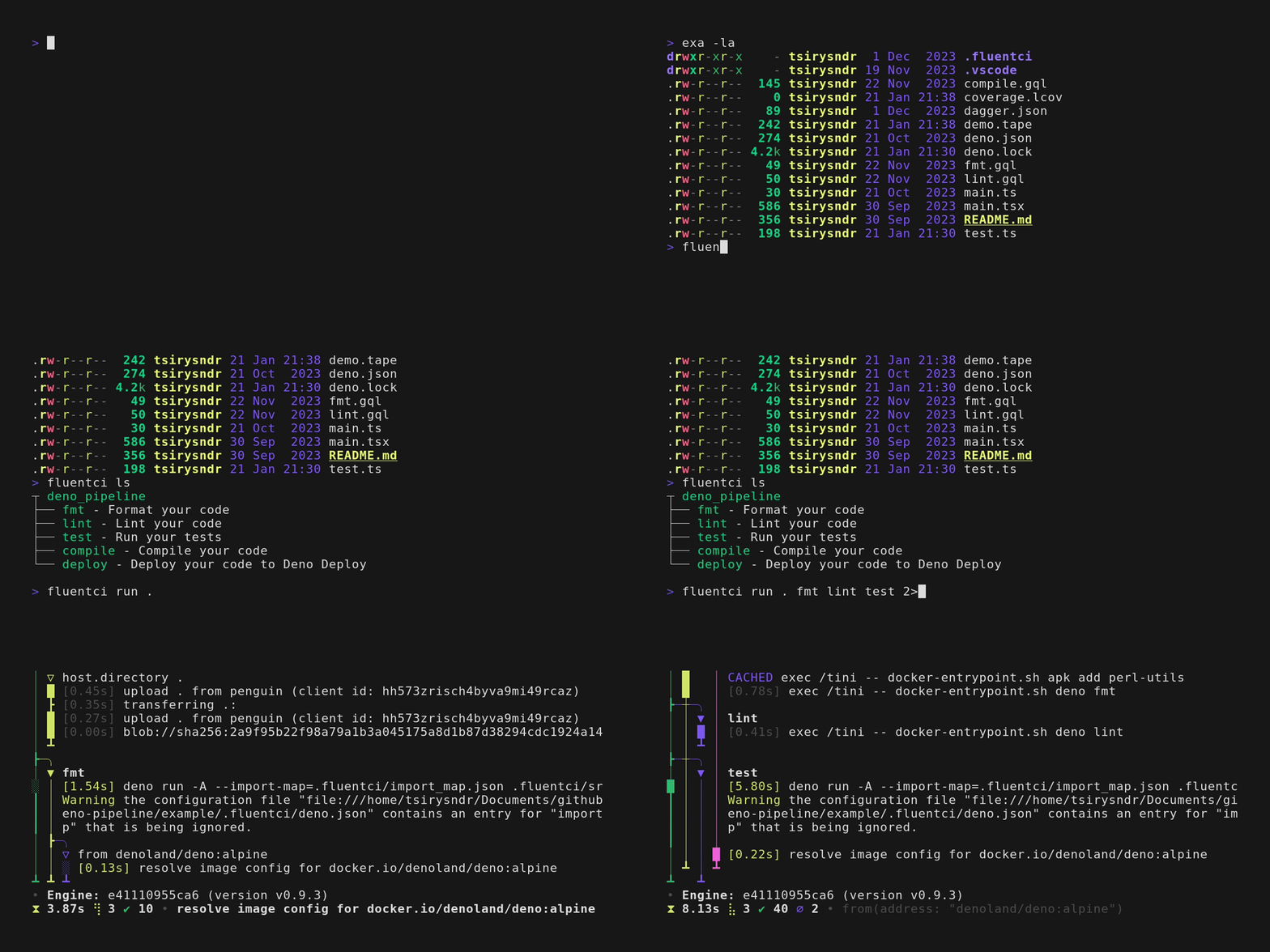
🚀 Usage
Run the following command:
fluentci run deno_pipelineOr, if you want to use it as a template:
fluentci init -t denoThis will create a .fluentci folder in your project.
Now you can run the pipeline with:
fluentci run .Dagger Module
Use as a Dagger module:
dagger mod install github.com/fluent-ci-templates/deno-pipeline@modEnvironment variables (Deno Deploy)
| Variable | Description | Default |
|---|---|---|
| DENO_PROJECT | Your project name | |
| NO_STATIC | Disable static assets | false |
| EXCLUDE | Exclude files from deploy | |
| DENO_DEPLOY_TOKEN | Your Deno Deploy token | |
| DENO_MAIN_SCRIPT | Your main script | main.tsx |
Jobs
| Job | Description | Options |
|---|---|---|
| fmt | Format your code | |
| lint | Lint your code | |
| test | Run your tests | { ignore: string[] } |
| compile | Compile the given script into a self contained executable | |
| deploy | Deploy your app to Deno Deploy |
lint(
  src: string | Directory | undefined = "."
): Promise<Directory | string>

fmt(
  src: string | Directory | undefined = "."
): Promise<Directory | string>

test(
  src: string | Directory | undefined = ".",
  ignore: string[] = []
): Promise<File | string>

compile(
  src: string | Directory | undefined = ".",
  file = "main.ts",
  output = "main",
  target = "x86_64-unknown-linux-gnu"
): Promise<File | string>

deploy(
  src: string | Directory | undefined = ".",
  token?: string | Secret,
  project?: string,
  main?: string,
  noStatic?: boolean,
  excludeOpt?: string
): Promise<string>
Programmatic usage
You can also use this pipeline programmatically:
import { fmt, lint, test } from "https://deno.land/x/deno_pipeline/mod.ts";

await fmt();
await lint();
await test();